
A laptop usually fails in the middle of something ordinary. The picture goes dark during a class. The charge dies before a bill is paid. A letter stops appearing in a message. The fans get loud on a bed, and the machine shuts itself off. You want it working again. This page is the plain version of those faults, the check you can make without opening the case, and the work the bench does when that check is not enough.
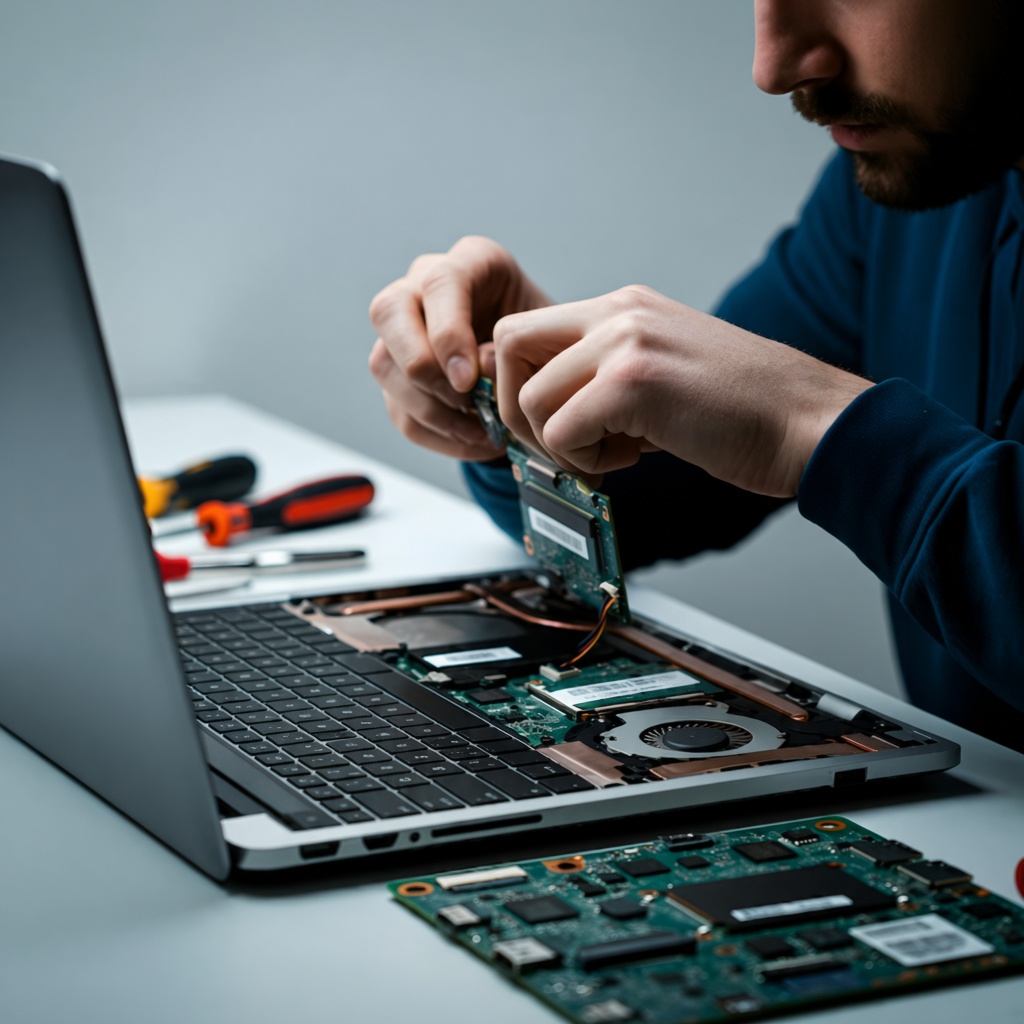
When a part has to change, the change happens at the counter. You hear the fault, and the quote, before any paid work. Dell, HP, Lenovo, Acer, ASUS, Apple, and MSI are opened there. Opening those lids is the daily work. It is not a certificate from the company that built the machine.
The picture is cracked, dim, or gone
If the glass is starred, leave the sheet in the frame. Do not peel it, and do not press the star to see whether it grows. Pressure spreads the break, and loose glass cuts. Shut the lid when it still shuts, and keep the laptop level in the bag. A useful check, when you already own a cable and another screen, is to send the picture out. If the outside screen is clear and the laptop screen is not, the fault sits in the panel or the cable. The rest of the machine can still be fine. If you do not have that cable, leave the bezel on. Taking it off at a desk is how clips vanish.
At the counter the panel is inspected, and the screen is replaced when the panel is the fault. A crack, a flicker, a picture you can barely read, and a dark panel on a laptop that otherwise wakes are the cases for a new panel. A dark picture while the fans still turn can still be the ribbon, or the board. Those three are separated before a panel is ordered. You hear that result first.
The charge fades, or the case has lifted
Watch what the laptop does once the adapter is unplugged. A pack that fades before the afternoon is over, or that will not accept a charge, is replaced when the pack is the fault. Write down roughly how long it lasted, and whether it lasted at all. That note is more useful than a guessed part number.
If the palm rest has pushed up, or the base will not sit flat on a table, stop using it. Do not squeeze the cover shut, and do not pierce the pack. Unplug the adapter and carry the machine level, with the lid shut. A risen palm rest can be the pack showing through the case. Ask which pack will be fitted, and agree before it goes in. A new pack does not repair a cracked panel, and it does not replace a disk.
One key, a whole row, or a spill
A single key that sticks can be a crumb. A row that types nothing, a letter that is missing, a key that types twice, or a deck that feels soft after a drink is a keyboard. Do not pour water, or any cleaner, into the gaps. Do not pry a key that does not lift with a light touch. A snapped hinge on a key cap is already a keyboard job.
Sweeping crumbs from between the keys does not give you a new keyboard. Changing a setting will not restore a key that broke, or a row that liquid has ruined. If the deck feels spongy, stop typing. Bring the laptop while you still remember what landed on it, and when. The keyboard is fitted when the keyboard is the fault. The shop board lists that part on its own line.
It will not start
Try a socket you already trust, then look at the adapter. A light on the brick, or on the laptop, means power is arriving. No light can mean the adapter itself has failed. A light with a laptop that stays dark can still be the pack, or the board. Pressing the power button over and over does not sort those three. Leave the bottom cover on. Clips and ribbon cables break on a kitchen table, and a broken clip then sits on top of the fault you came in with.
The counter names the part after the look, not before it. A machine that stays off at the power button can still be a pack that refuses a charge. An adapter that no longer feeds the laptop is a charger job when the charger is the fault. A board in a laptop that will not start, or that runs poorly, is named only after the other causes have been set aside. Ask for that name before you agree. Seven of those causes, and the check that belongs with each one, are in why a laptop will not turn on.
It has become slow
Restart once. Then notice whether one program drags, or the whole machine does. A disk that clicks, or a file that will not open because the disk is failing, should be switched off and carried in. Do not keep saving new work onto a disk that is already clicking. A slow or failing hard disk is replaced with an SSD or with another hard disk. No size is printed on this page. The disk depends on the machine on the bench and on the quote you hear before anyone orders it.
If the files on the old disk matter, say so before the bottom cover comes off. Nothing here promises those files on the new disk. Say it in the first conversation, not after the old disk has already been set aside.
A laptop can feel slow because of what is open on it, even when the disk is healthy. Pop-up windows, a browser you did not open, and a laptop that grew heavy across a few weeks are handled by taking malware off and cleaning the system. Do not pay a window that says your files are locked. Do not install a cleaner you found inside that window. The clean at the counter does not drop a disk into the bay. Windows is installed fresh when the laptop will not start, or when you want to begin again. That install is not a keyboard, and it is not a pack. Mention every fault you can see, including starred glass or a fading pack, so the quote lists each one instead of the one you remembered first.
It runs hot, then stops
A laptop on a bed, a cushion, or inside a closed bag has nowhere to breathe. Set it on a hard table and see whether the roar eases. If the fans still roar, the palm rest stays hot, or the machine shuts down in the middle of a call, the path is the fan and the heat sink. That is repaired at the bench. A shutdown on its own is not a dead pack, and it is not a failed board. The counter says which of those it found, and the quote names that finding.
Do not open the case to blow the fan if you have not done that job before. A snapped clip becomes part of the visit, on top of the heat you came in with. Dust on the outside of a vent can be wiped with the laptop off. Dust inside the fan is the bench’s job.
The part on the wall
The wall shows a charger, a battery, a hard disk, RAM, a keyboard, and a motherboard. One of those is fitted only when it is the fault. Memory that makes the picture freeze, or makes the laptop restart on its own, is named after a look, the same way a board is. Fans that keep turning under a black picture can still point at the panel, or at the cable. Ask for the name of the part before you agree, and pause if that name is not the one you expected.
Where the laptop is opened
The counter is at NO 35/1, NO 26, Ganesh Complex, Above TVS Showroom Main Road, Hosur Rd, opp. to Infosys Limited, Electronic City, Bengaluru, Karnataka 560100. You walk the laptop in. Nobody is sent to collect it from a flat or an office, and there is no second bench down the road. When the work is finished you take the same laptop home. It is not exchanged for a different one, and the visit is not turned into the sale of a new machine.
Call or WhatsApp 099724 47766. Describe what the laptop is doing in ordinary words, and ask for the quote before any paid work. The full list of work for this counter is on the services page. A shorter list of the same faults is in the earlier note on common problems. Separate notes cover a cracked screen, a failed keyboard, and a weak battery, and an SSD or a new hard disk.