
A laptop that will not turn on usually fails at the worst moment. The lid opens, the button is pressed, and nothing on the screen changes. From the chair, a dead adapter, a pack that will not charge, a black picture, and a failed board all look the same.
These are seven reasons that show up on the bench, the check you can make without taking the case apart, and the fix that belongs to each one. The fix is named after a look, at the counter, before any paid work. No charge is printed here. Dell, HP, Lenovo, Acer, ASUS, Apple, and MSI are opened in that room. Opening those lids is the daily work. It is not a certificate from the company that built the machine.
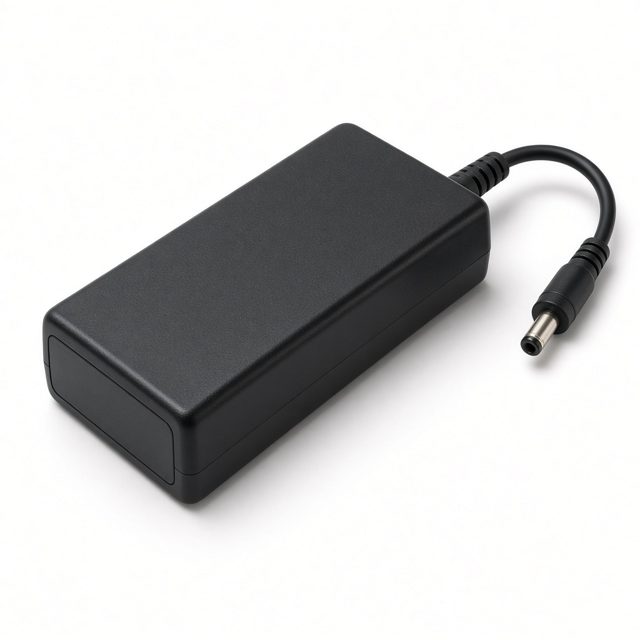
1. The adapter is not feeding the laptop
Try a wall socket you already trust. Then look at the brick and at the laptop. A light on the adapter, or a light on the machine, means power is arriving at least as far as that light. No light at all can mean the adapter itself has failed, or that the cable is no longer seated. Use the adapter that belongs to this laptop. A phone charger, or a brick from a different machine, is not a useful test.
When the adapter is the fault, the fix is a charger fitted for that laptop. The counter says so only after the brick has been tried. If the light is already on and the laptop still stays dark, the adapter is only the first question. Stop swapping bricks you do not recognise.
2. The battery will not take a charge
Unplug the adapter and notice what changes. A pack that used to last the afternoon and now does nothing, or a laptop that wakes only while the brick is connected and dies the moment it is pulled, is often the pack. Write down whether it lasted at all. That note is more useful than a part number copied off a sticker.
If the palm rest has risen, or the base will not sit flat, stop. Do not clamp the cover, and do not pierce the pack. Pull the adapter out and carry the laptop level, with the lid shut. A risen case can be the pack pushing through it. The fix is a new pack when the pack is the fault. A new pack does not repair a black panel, and it does not replace a board. You hear which one it is before it is fitted.
3. The laptop is on, and the picture is not
Listen before you decide the machine is dead. Fans that turn, a keyboard light, or a disk that clicks once mean the laptop may already be awake under a dark panel. A flashlight held close to the glass sometimes shows a faint picture. If you already own a cable and another screen, sending the picture out is a fair check. A clear picture on the outside screen, and none on the laptop, points at the panel or the cable.
If you do not have that cable, leave the bezel on. Taking it off at a desk is how clips vanish. When the panel is the fault, the fix is a screen replacement. A dark picture while the fans still turn can still be the ribbon, or the board. Those are separated before a panel is ordered.
4. The memory is not being seen
A laptop that used to start, and then stopped after it was dropped or after the base was flexed, can be failing to see its memory. The picture stays black. There may be no fan, or the fan may spin and then stop. Pressing the power button again does not sort that from a failed board.
Leave the bottom cover on. A stick of memory lifted on a kitchen table bends the contacts, and a bent contact then sits on top of the fault you came in with. Tell the counter if the laptop was dropped, or if it never started after it was opened somewhere else. The fix is to seat or replace the memory when memory is the fault. That is named after a look, the same way a board is.
5. The power inlet or the power button has worn out
If the plug only works when it is held at an angle, or the laptop starts only when the button is pressed in one corner, say that. The inlet where the adapter meets the case, and the button itself, both wear. Forcing the plug deeper cracks the socket.
Bring the adapter with the laptop, including one that feels loose. The fix is that inlet, or that button, when that is the fault. A loose plug can still be a tired adapter rather than the socket. The counter tries the brick first, then the inlet.
6. Liquid has shorted the board
A drink on the deck, rain in a bag, or a damp cloth across the keys can stop a laptop at the next press of the button. If you know liquid landed on it, leave it off. Do not aim a hair dryer into the keys, and do not pour anything else in after it. Unplug the adapter. Shut the lid. Keep the laptop level so whatever is still inside does not run further.
The useful next step is a look at the board, after it has been allowed to dry, rather than a new charger ordered on the way over. Tell the counter what landed, and roughly when. A spill can ruin the keyboard as well as the board. Mention both, so the quote lists each fault.
7. The motherboard is the part that failed
When a trusted socket, the laptop's own adapter, and a pack that is not swollen still leave the machine dark, the board is the remaining question. It is also the question people jump to first, which is why it belongs last. A board is named only after the adapter, the pack, the picture, and the memory have been set aside.
When the board is the fault, the fix is board repair or a board replacement, spoken as a quote you can still refuse. Nothing on this page promises that files on the disk will be waiting afterward. If those files matter, say so before the bottom cover comes off. The visit ends with the same laptop you carried in.
What to do before you carry it in
Use one socket you trust. Look once for a light on the brick and on the laptop. Listen for a fan. If the case has risen, or you know liquid went in, stop there. Leave the bottom cover on, and do not press the power button over and over. Pressing it again does not separate an adapter from a pack from a board.
Bring the adapter if it is still at home, and bring the sign-in password, so a test after the work is not stuck on a lock screen. The name on the lid is enough. You do not need a long model string.
Where the laptop is opened
The counter is at NO 35/1, NO 26, Ganesh Complex, Above TVS Showroom Main Road, Hosur Rd, opp. to Infosys Limited, Electronic City, Bengaluru, Karnataka 560100. You walk the laptop in. Nobody is sent to collect it from a flat or an office. Whoever lifts the cover should be the one who tells you which of these seven it is. That talk happens before any paid work.
Call or WhatsApp 099724 47766. Describe what you saw in ordinary words: no light, a light and a dark picture, a loose plug, a spill, a drop. Ask for the quote before any paid work. The full list of work for this counter is on the services page. A shorter note on the same symptom is in common laptop problems and how they are fixed. Separate notes cover a cracked screen, a failed keyboard, and a weak battery.