
Most laptops that reach this counter are still the ones their owners want to keep. The glass is starred from a commute, the charge fades before a meeting ends, a row of keys has gone quiet, or a file that used to open at once now sits and spins. A forum guess will not tell you which of those is actually wrong. The useful step is a look at that exact machine, in the room where a part would be fitted, with the quote spoken before any paid work.
SAI Laptop Service keeps that look in one room. The counter is in Ganesh Complex, above the TVS showroom, on the main road opposite Infosys Limited. The line for the door is NO 35/1, NO 26, Ganesh Complex, Above TVS Showroom Main Road, Hosur Road, opposite Infosys Limited, Electronic City, Bengaluru, Karnataka 560100. People walk the laptop in from the roads around that complex. There is no second bench in those lanes, and the shop does not send anyone to collect the machine from a flat or an office.
What to leave untouched on the way in
Carry the laptop the way it closed at home. If the adapter is still in a drawer, bring it, because a test after the work needs the power supply you already use. Bring the power-on password too, on a note or in your head, so the bench can sign in and watch the fault instead of stopping at the lock screen. Leave the screen, the keyboard, and the battery where they were built. Lifting those parts on a kitchen table is how clips snap and ribbon cables tear, and a torn cable then sits on top of the fault you came in with.
A starred panel should travel inside its frame. Peeling the broken sheet, or pushing the star to see how far it runs, spreads the damage before anyone has looked. A display that stays dark while the fans keep moving is not proof the panel has died. The cable can do that, and so can the board. Those three are separated at the counter, before a panel is ordered. If the palm rest has risen, or the base rocks when you set it on a table, stop using it. Do not clamp the cover down, and do not pierce the pack. Unplug the adapter and carry the laptop level, with the lid shut.
A panel, a pack, or the keys
Once the machine is open, a panel is ordered only when the panel is the fault. A crack, a picture that flickers, a picture so dim you chase a window for light, and a dark panel on a laptop that otherwise seems awake are the cases where a new panel is the work. You hear that finding before the panel is fitted. A pack that bulges, dies halfway through the afternoon, or refuses a charge is a pack job when the pack is the fault. A risen palm rest can be that bulge showing through the case. Ask which pack will go in, and agree before it is fitted.
Keys follow the same rule. A key that sticks, a key that types twice, a key that types nothing, a missing letter, or a drink across the deck can mean the keyboard itself has failed. Brushing grit out of the gaps is not a new keyboard. A change in the software will not bring back a key that snapped, or a row a spill has killed. If the deck feels soft after a drink, stop typing. Bring the laptop while you can still say what landed on it and when.
When the only complaint is that it is slow
Slowness fools people, because several faults feel alike from the chair. A drive that drags, clicks, or fails can be replaced with an SSD or with a new hard disk. No capacity is printed on this page. The disk that fits depends on the laptop on the bench and on the quote you hear before anyone orders it. If the documents on the old disk matter, say so before the bottom cover comes off. This article does not promise those documents will be waiting on the new disk.
Slowness can also be what is running, rather than what is spinning. Pop-up windows, files you can no longer open, and a laptop that grew heavy over a few weeks are handled by taking malware off and cleaning the system. That clean does not drop a new disk into the bay. A clean Windows install is for a laptop that will not boot, or for an owner who wants to start again. The install does not stand in for a keyboard, and it does not stand in for a battery. Leftover programs, a malware clean, a fresh Windows install, and a tired drive are four separate conversations. The bench says which of them belongs in the quote. If the glass is starred as well, or the pack fades by mid-afternoon, mention both, so the quote lists each fault instead of the one you remembered first.
How to describe what happened
Say what you were doing when it failed. A drop from a desk, a bag caught in the rain, a shutdown during a video call, and a laptop that has been slowing for a month are different stories, and they point the bench at different parts. You do not need a technical name. “The picture went dark after I shut the lid” is more useful than a guessed part number. If more than one thing is wrong, list them in the order you noticed them. The quote can cover more than one fault, but only the faults you actually describe.
Heat, and a machine that shuts itself off
Heat has its own path, and it is worth describing in plain words when you arrive. Fans that roar, a shutdown in the middle of a call, and warmth coming up through the palm rest are followed back to the fan and the heat sink, then repaired. A shutdown is not, on its own, a dead pack. It is not, on its own, a failed board. The counter tells you which of those it actually found, and the quote names that finding rather than a bundle of guesses.
The six parts on the wall
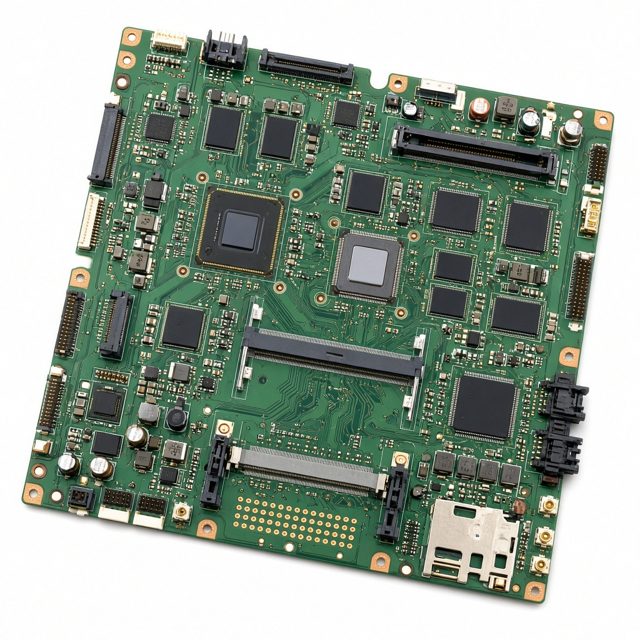
The board on the wall shows six parts the counter fits when they are the fault: charger, battery, hard disk, RAM, keyboard, and motherboard. An adapter that no longer feeds the laptop, a memory stick that makes the picture freeze or the machine restart, and a board in a laptop that will not start or that runs poorly are named after the look, not before it. A dark picture with the fans still moving can still be the panel or the cable. A laptop that will not power on can still be a pack that will not take a charge. Ask for the name of the part before the work begins, and pause if that name is not the one you expected.
The name printed on the lid
The lids already opened on that bench read Dell, HP, Lenovo, Acer, ASUS, Apple, and MSI. Opening those machines is the daily work. It is not a certificate handed out by the company that built the lid. When you call, read the name on the lid aloud, and mention the rough age if you know it, so the person answering has a picture of what is about to walk through the door. A sticker that says the maker is enough. You do not need to dismantle anything to find a model code.
After you have heard the quote
No charge is printed on this page. Call or WhatsApp 099724 47766 and say, in ordinary words, what the laptop is doing. Ask for the quote before you agree to any paid work. You choose after you have heard the fault and, where a part is needed, the name of that part. If you want a different approach, say so before the cover goes back on. When the work is finished, the same laptop goes home with you. The counter does not swap it for another machine, and it does not steer you into buying a new one in place of the repair.
The list of work for this same counter sits on the services page. Other notes here go further into a cracked screen, a failed keyboard, and a weak battery, into an SSD or a new hard disk, into the choice between repairing a fault and replacing a part, and into the problems the bench sees most often.